
Web Design
New Website Checklist: Your Complete Planning Guide for 2026
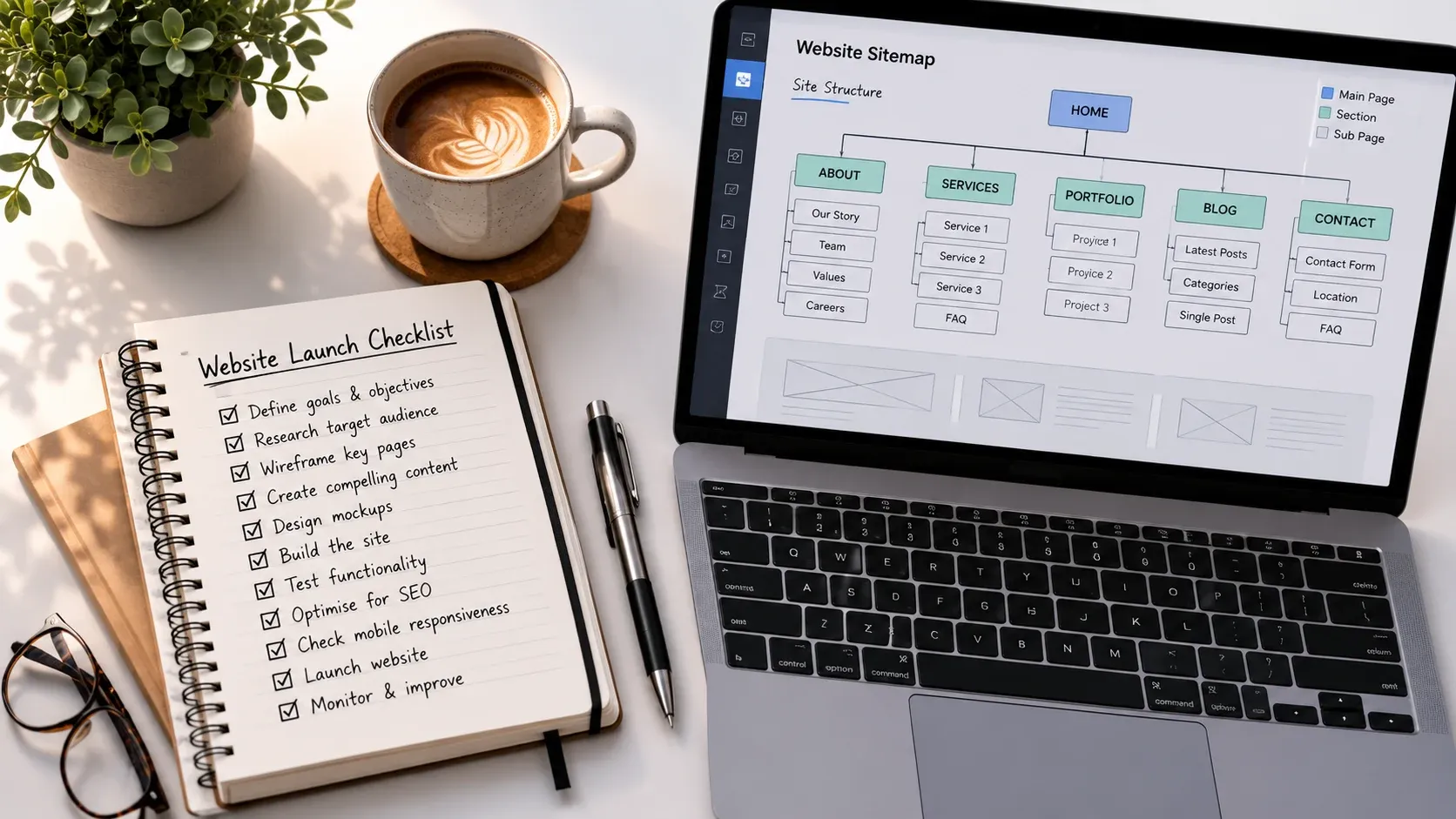
This new website checklist is designed to help you walk into a web project prepared, whether you’re commissioning your first business website or rebuilding one that has stopped working for you. The more clarity you can give a designer upfront, the faster and smoother the whole thing will be. Most delays and budget overruns don’t happen during the build, they happen because nobody did this part properly first.
Work Out What You Want Before You Brief Anyone
Before you speak to a single designer, answer one question honestly: what do you want visitors to do when they land on your site? Call you. Fill in a form. Book an appointment. Buy something online. One clear objective is worth more than ten vague ideas about wanting to look more professional. Once you have that answer, think about who your ideal customer actually is, what questions they need answered before they will pick up the phone, and your brief practically writes itself.
Budget is worth addressing early. The build cost is just one part, factor in hosting, domain renewal, ongoing maintenance and any SEO or content work you want done. Get two or three quotes and compare what is genuinely included rather than just the headline figure. And before any work starts, confirm in writing that you will own the finished website, the code, the content, the files, when the project is complete. Some designers and platforms do not hand this over by default, and finding out after the fact is frustrating.
Get Your Content Ready Before the Build Starts
This is the step most businesses skip, and the one that causes the most delays. If you can hand over finished, structured copy before your designer starts building, the project will run significantly faster and the end result will be stronger. Writing content after the build has started means your designer is either waiting or making assumptions, neither is ideal.
Start by mapping out every page you need: Home, About, Services, Contact as a minimum, then give each one a clear purpose. Then write your service descriptions: what each service is, who it is for, what is included, and what the client gets at the end. Do this once and hand it over and your designer has everything they need. For images, professional photography makes a real difference to how credible a site looks. If budget allows it, a shoot before the build starts is money well spent. If not, agree on stock image choices early.
Think Through the Technical Side
A few questions worth answering before you brief anyone. Does your site need an online booking system or quote request form? This affects the build and the budget, so mention it upfront. E-commerce is a different kind of project entirely and needs to be scoped separately. What tools does your business already use, email platforms, CRM systems, accounting software, and do any of them need to integrate with the new site? The earlier these are identified, the fewer surprises arrive later.
Also know your current hosting situation. Do you own your domain name, or is it registered through a previous agency? Who is your current host? Is there existing content that needs migrating across? These are questions any good designer will ask, having the answers ready saves time and avoids the project stalling on something entirely avoidable.
Prepare for the Design Stage
Find five websites you like, they do not need to be in your industry, and write one sentence about each explaining what you like about it. This is one of the most genuinely useful things you can give a designer. It does not need to be technical. “I like how clear this layout is” or “this one does not feel corporate” is enough to work from. Pair that with your branding, logo in vector format if you have it, brand colours, fonts, and your designer has a solid starting point.
If you do not have a brand identity, agree upfront whether that is in scope or a separate conversation. And keep mobile firmly in mind throughout. The majority of web traffic comes from phones. Your new site needs to look and work perfectly on a small screen, not just on a desktop where it is easier to make things look good.
Before You Go Live
Before you approve the launch, test everything yourself. Every link, every form, every button, on desktop and on your phone. Do not assume something works because it looks right. If you had an existing site, any pages that have moved URL need a 301 redirect to the correct new address. Your designer should handle this, it protects your existing Google rankings and stops visitors landing on dead pages. This step gets skipped more often than it should.
Make sure your privacy policy accurately reflects how your new site collects and uses data, if you have Google Analytics, contact forms or any third-party tools running, your policy needs to say so. Set up Google Search Console if it is not already active, it is free, takes less than half an hour, and lets you monitor exactly how Google sees your site from day one.
The First 30 Days After Launch
Submit your XML sitemap via Search Console, your designer should provide this and handle the submission. It helps Google index your new pages quickly rather than waiting to discover them over weeks. Then set a 30-day review reminder. After a month, go back to your analytics and ask honest questions: are people finding you through search? Are they doing what you hoped? Is there anything that keeps causing people to leave? A website is not finished at launch, it is just live. The first few weeks of data usually tell you exactly where to focus next.
Ready to Get Started?
If you would like a free, honest conversation about what your new website actually needs, and what it does not, we work with businesses across Staffordshire and the West Midlands from our base in Burntwood. Get in touch here and we will get back to you quickly with straightforward advice, no obligation.
Get a free website audit worth £197, or book a free call with Mark.
Keep reading
More from Insights
Wix vs WordPress: Which Is Right for Your Staffordshire Business?
It is one of the most common questions we hear from Staffordshire business owners who are about to invest in a new website: should…
Read the article →
7 Signs Your Business Website Needs a Redesign
Starting a business in Staffordshire is tough work. In the early days, you just need a website, something to get your name on the…
Read the article →
Web Design for Staffordshire Businesses: What to Look For Before You Sign Anything
Finding web design Staffordshire businesses can trust means knowing what to look for before you sign anything. Getting a new website should be straightforward.…
Read the article →